

Email: [email protected]Phone: 800.245.5676
/blog/heart-rate-training-with-your-concept2-erg
Heart Rate Training with Your Concept2 Erg
Apr 17, 2025
Share

How often do you use your heart rate (HR) to guide your workouts on the Erg? Nowadays, many smart watches track your heart rate, sleep patterns, steps, and so much more. Why not use this information to your benefit or invest in a HR chest belt to take your workouts to the next level. Using HR to help guide your workouts on a Concept2 Erg is a great way to optimize and improve your training.
Benefits of Using Heart Rate Training with Your Concept2 Erg
Measure Intensity
Heart rate allows you to measure your body’s cardiovascular effort during a workout. Having live HR monitoring on your Erg with ErgData and your Performance Monitor 5 (PM5) allows you to instantaneously adapt your workout. On days when you are more fatigued, your heart rate might go higher than normal at a given pace. This might be a cue for you to take it a little easier and helps avoid overtraining.
Track Progress
Looking at your heart rate during similar workouts over time can help you see improvements in your fitness level. As you do long tempo workouts (zone 3) or interval sessions (zone 4), monitor your pace and heart rate. Notice if you can maintain the same pace with a lower heart rate, or if you can achieve faster paces at the same heart rate as when you first started tracking your performance. This will indicate whether your fitness is improving over time. You can also easily track your heart rate data in ErgData and see your progress there.
Targeted and Personalized Training Zones
Heart rate training allows you to create individualized and personalized training zones tailored toward your own fitness level. These are based off your maximum heart rate.
Determining your Heart Rate Training Zones
Now that you know WHY you should use heart rate, let’s talk about HOW to find your max heart rate and preferred heart rate zones. Be sure to only go to higher heart rate zones if you have been approved to do so by a medical professional.
When using HR for training, you will first need to know your max heart rate to determine the other zones. If you are not sure what your maximum heart rate is, a great place to start is to use the Haskell & Fox formula of 220 – your age. So, if you are 50 years old, you will have an estimated maximum heart rate of 170 beats per minute (bpm). While this method is not entirely accurate, it is a solid starting point. If you find that you are hitting a higher HR while sprinting (zone 5), use the highest bpm recorded as your new maximum HR moving forward.
Now that you have determined your maximum HR, you can begin calculating and understanding the individual zones – these are zones 1 through 5.
Zone 1 is meant for recovery, should be very low in effort, and should be 50-60% of your max heart rate. Zone 1 should feel very easy and is very light pressure. While in zone 1, focus on keeping good form and working on drills.
Zone 2 is meant for an endurance effort, should be light, and should be 60-70% of your max heart rate. Zone 2 is synonymous with steady state (holding the same pace for the whole duration). While in zone 2 your HR should be able to sustain this intensity level for over 30 minutes and not go to zone 3. Zone 2 is great for improving your baseline fitness.
Zone 3 is meant for an aerobic effort, should feel moderately challenging, and should be 70-80% of your max heart rate. When someone says, “tempo pace,” they often mean zone 3. Longer intervals and pieces will start to feel more difficult in zone 3.
Zone 4 is called anerobic threshold, breathing will be heavy, it should feel hard and should be 80-90% of your max heart rate. It will be hard to sustain this zone for more than 10 minutes, but you should not be going all out. Anaerobic threshold means your body is going from aerobic (using oxygen) to anerobic (not using oxygen) and you begin to use stored sugars to continue pressing forward. In this zone you will make this switch over the threshold from aerobic to anerobic – as your fitness progresses, this will take longer.
Zone 5 is as hard as you can go, or your “VO2 Max”, and should be 90-100% of your max heart rate. Zone 5 should be used in workouts for less than a few minutes long and it is always difficult.
Tracking and Syncing Heart Rate with your Concept2 Erg
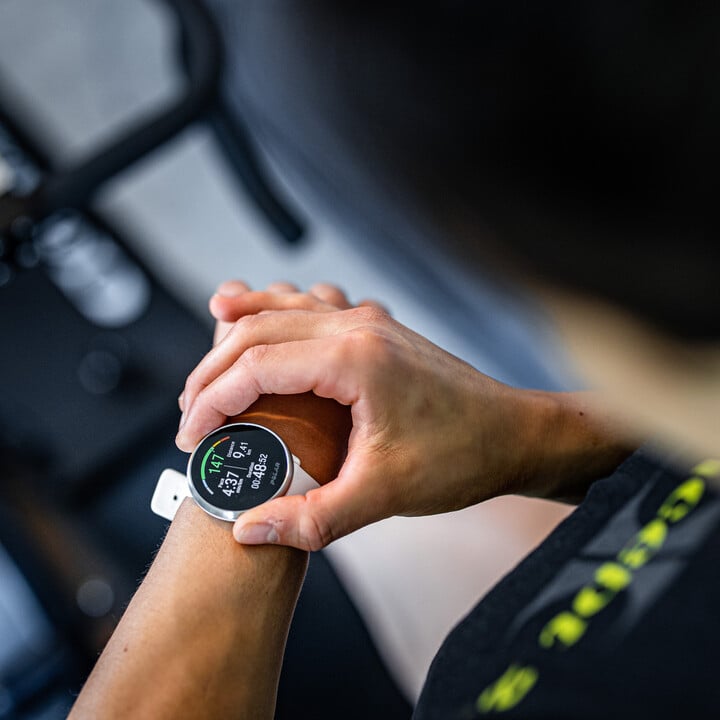
Connecting your Bluetooth or ANT+ heart rate monitor to your PM5 and ErgData is simple and easy to do and allows you to receive instantaneous feedback during your workout. The easiest way is to pair and remember your preferred HR device with the Concept2 ErgData app.
First, put the chest belt on and press any button on the Performance Monitor 5 (PM5) to power it up. Next, connect ErgData to the PM5. Select Connect Heart Rate. Within 5-10 seconds, the PM5 will list identification information for any chest belt it finds. This information may include brand or model information and/or ID number. Choose the ID that corresponds to your chest belt. (If you are unsure, check the chest belt ID, which is typically listed on the back of the belt.) Select Confirm Selection. On the ErgData app, select Yes to, "Remember Heart Rate Belt?” This saves your chest belt’s ID to your ErgData app so that the PM5 automatically detects your chest belt in the future.
If you have a PM4 or older monitor, consult the instructions here for compatibility options: Heart Rate Equipment for Concept2 Machines. You can also find information here on how to pair Garmin, Suunto, and Polar HR tracking products.
Generally speaking, heart rate chest belts are the most accurate way to track your heart rate while working out. Moisten the sensors on the strap. Wrap the strap around your chest, just below the pectoral muscles or below your sports bra band. Ensure the strap is snug but comfortable and does not slide down. Make sure the sensor is centered on your chest.
Many also use their Apple Watch to track heart rate. You can pair your Apple Watch to your ErgData app to see live heart rate readings on ErgData as well as your watch by following these instructions.
On Your iPhone:
- Open the Watch App on iPhone.
- Scroll to Apps that are installed on the Watch.
- Tap on ErgData.
- Make sure 'Show App on Apple Watch' is toggled ON.
On Your Apple Watch:
- Open Settings.
- Tap on Health.
- Under Sources, tap on Apps and Services.
- Tap on ErgData.
- Tap Turn on all (if they are already on, turn off all and then turn on all).
Using Heart Rate During your Workout with ErgData
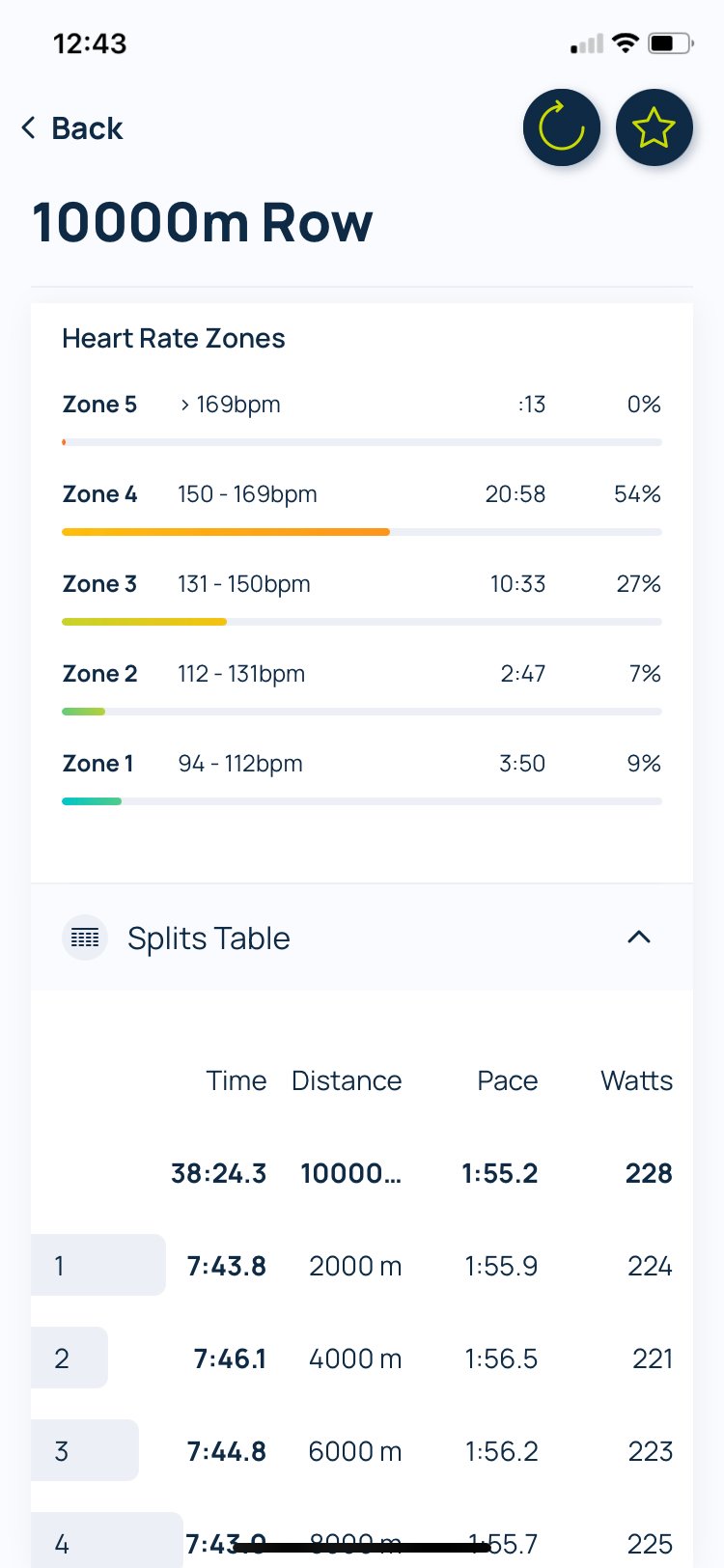
Now that you know what your heart rate zones are, and are connected to your devices, it is time to put them to use! ErgData makes it simple and easy to program workouts based on your individualized heart rate zones. First, add your maximum heart rate to your ErgData profile. On the ErgData app, go to settings, edit profile, and then go to the bottom and update your max heart rate to the appropriate bpm and then hit save. This will automatically calculate heart rate zones 1-5 for you in ErgData. You can toggle the “Target HR Zone” when creating workouts for single distance, single time, single calorie, constant intervals, and variable intervals. Use this when you are aiming to stay in zone 2 for a steady state row, priming for zone 4 intervals on the SkiErg, or chipping away at longer zone 3 pieces on the BikeErg. ErgData helps you pace yourself accordingly and nail each workout.
Individual Considerations
Heart rate zones are highly individual and best used as a personal training tool. While it is tempting to compare numbers with others, your heart rate is most valuable when it helps you track effort, progress, and recovery. Focus on your own zones to train smarter and improve over time.
Recent Posts
Tags: